Folders and the Cabinet
A project board shows you everything, and sometimes everything is too much. Folders let you zoom in on one slice of the project and work there.
Get involved: Subscribe · Discord · Twitter/X · Matt on X
1. The full project board
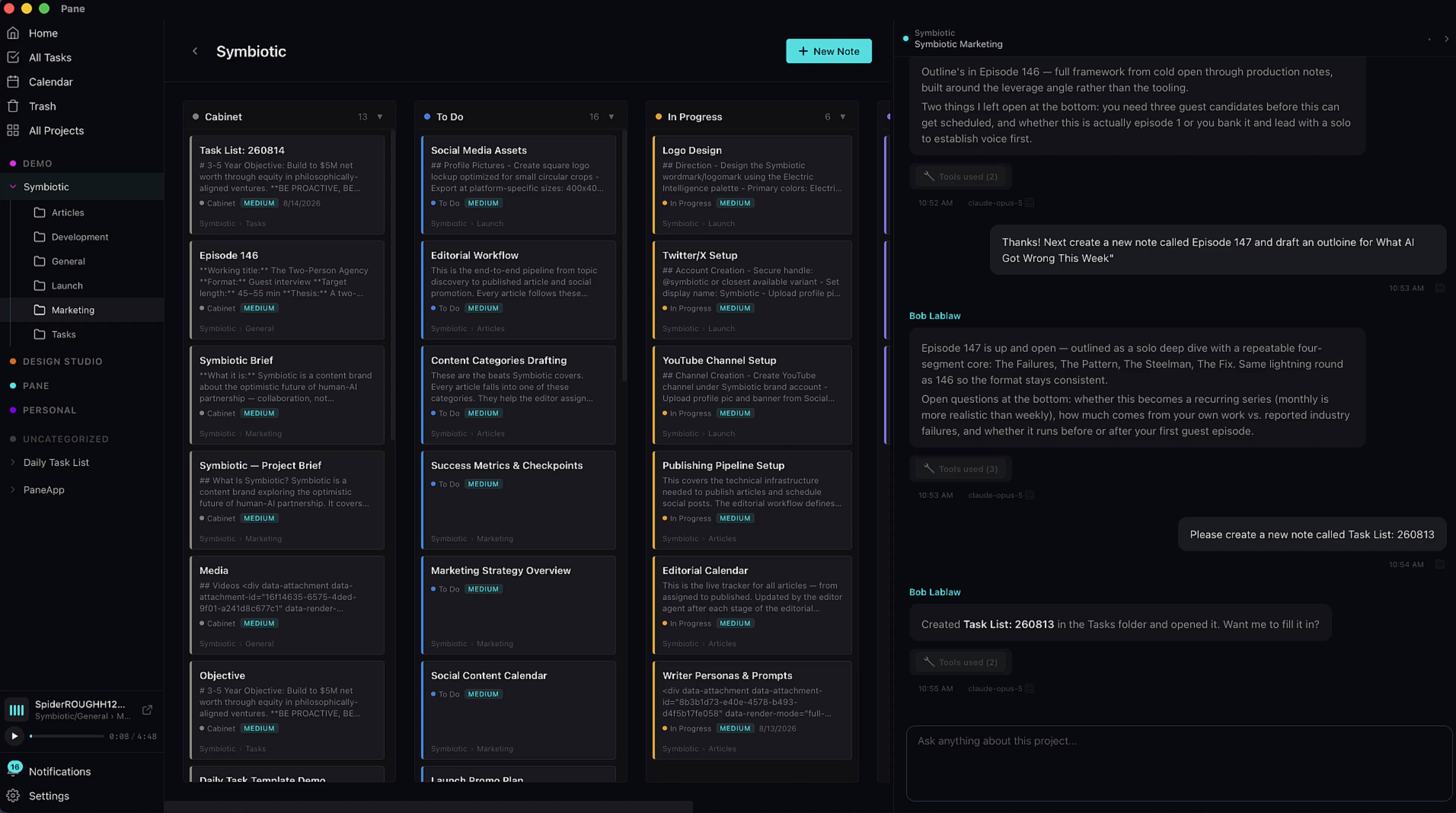
A project board shows you everything, and sometimes everything is too much.
2. Zoom into a folder
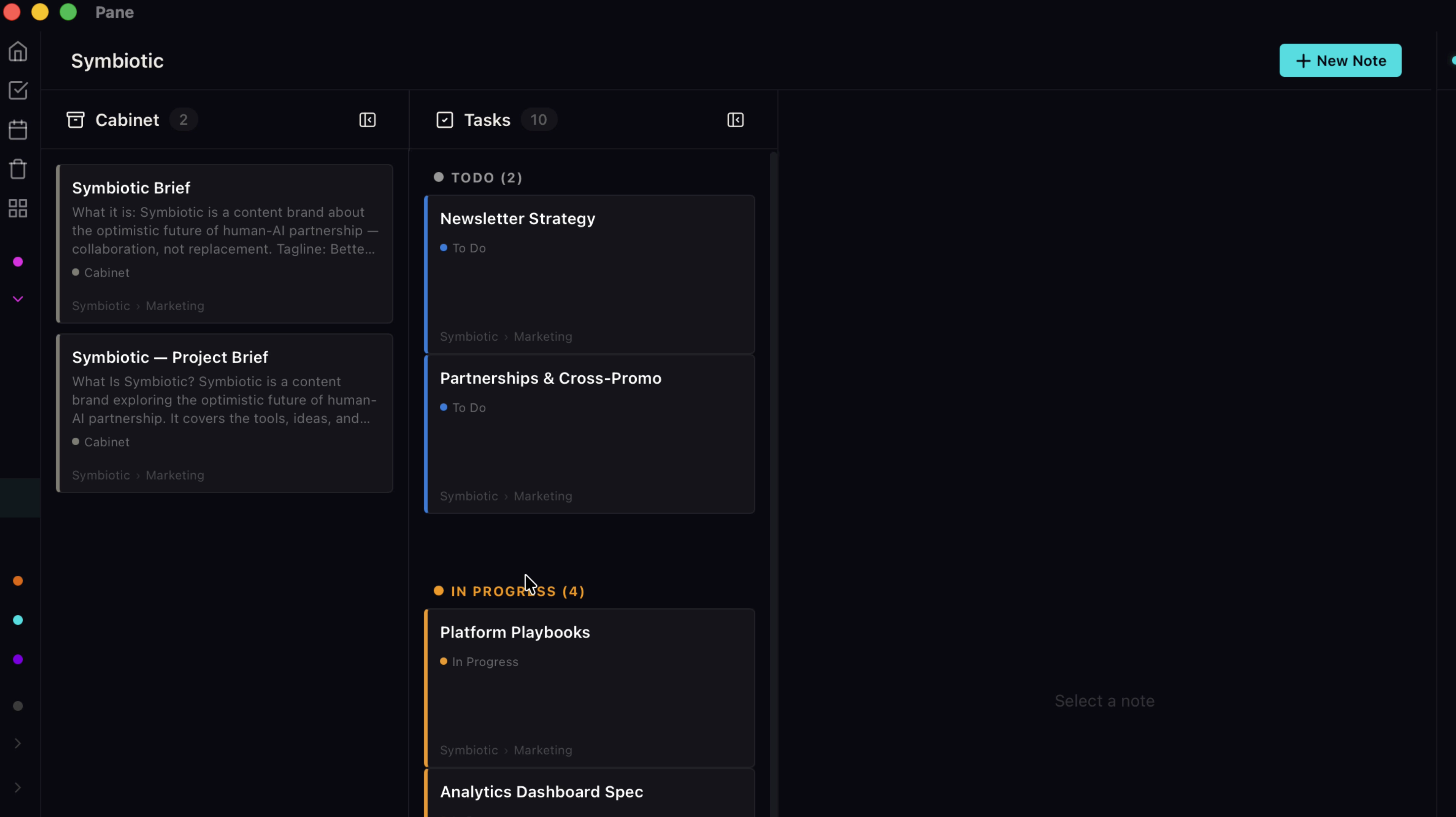
Folders let you zoom in on one slice of the project and work there.
3. One folder per stream
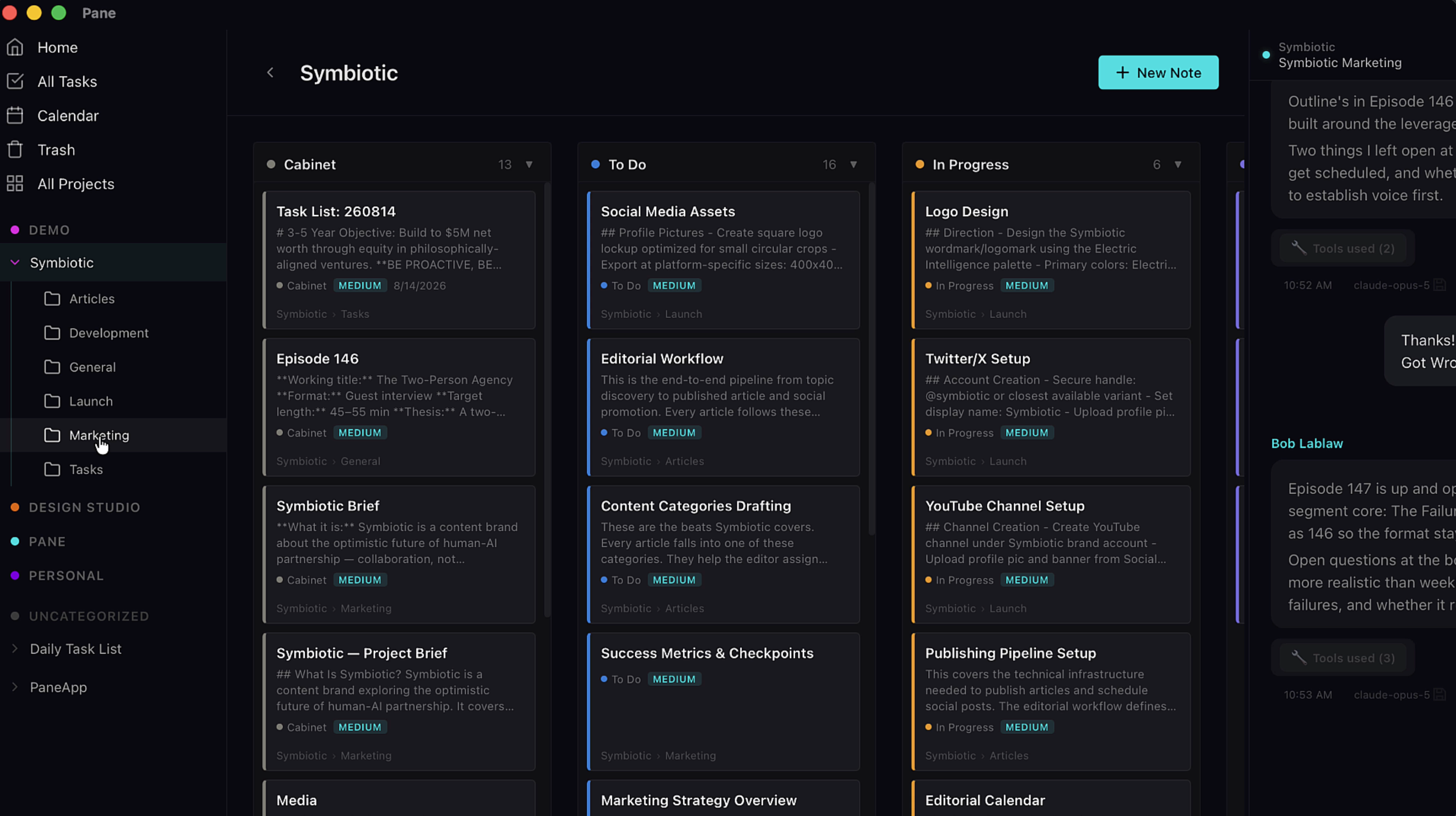
Say you're building an app. That one project is really several streams: development, marketing, team. Give each a folder, and when it's marketing day, open the marketing folder. Everything else disappears. Just you, your AI, and that slice of the work.
4. Cabinet holds the thinking
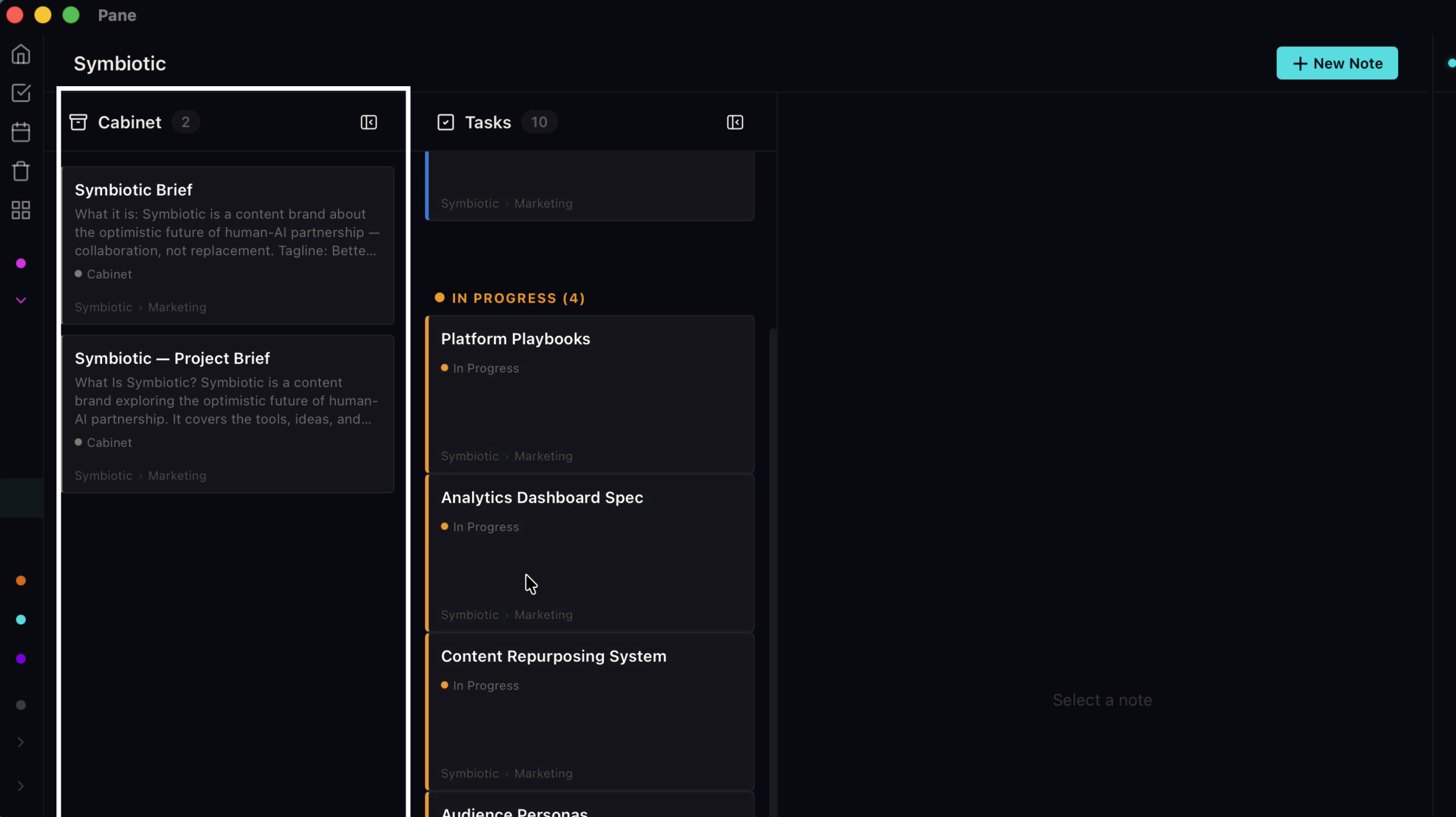
Folder view runs two columns. Cabinet holds the thinking: strategy docs, research, notes that were never meant to become tasks.
5. Tasks holds the work
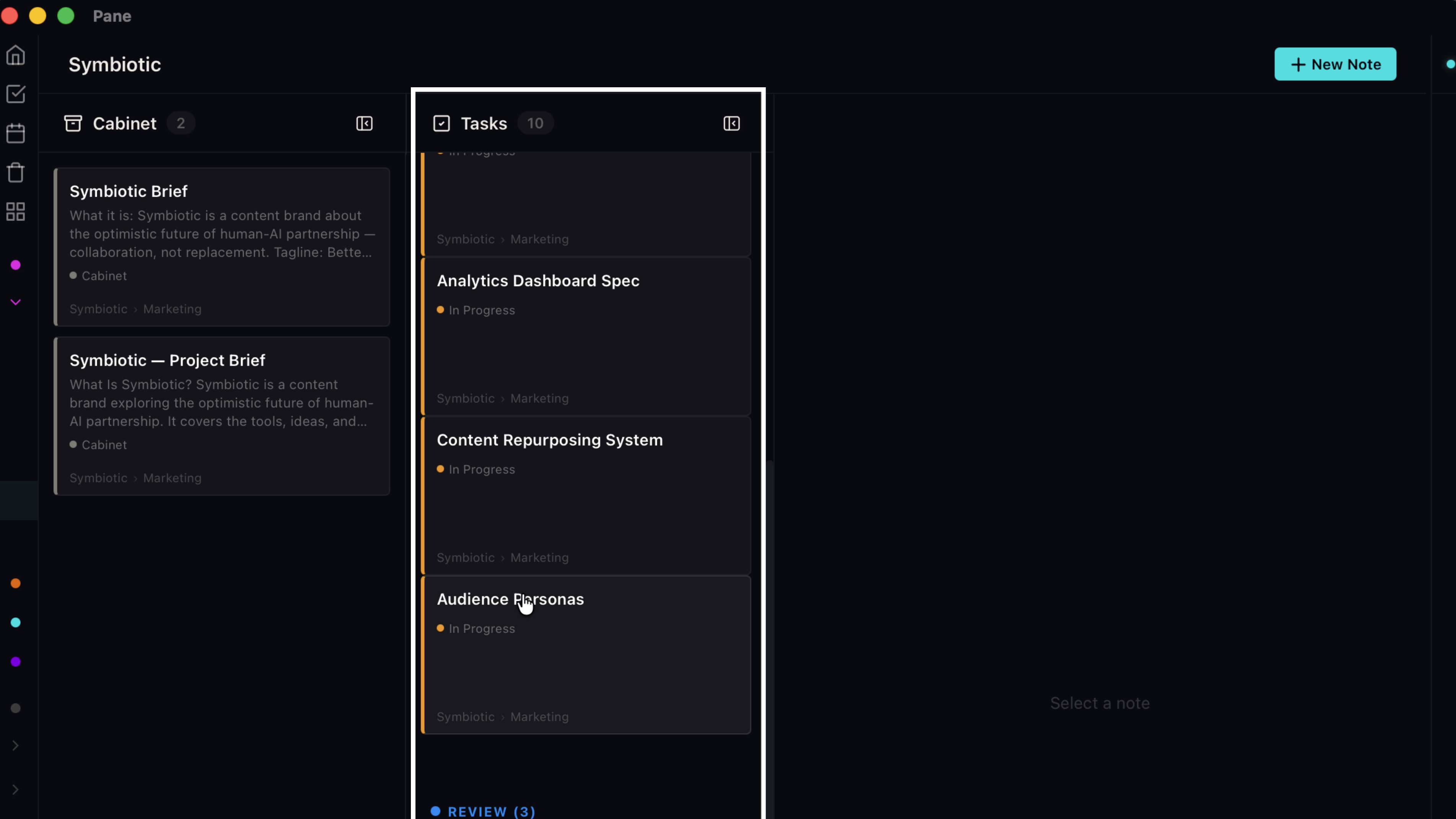
Tasks holds the task cards, ordered by status. Either column collapses with the arrow, so if it's a pure writing day, tuck the tasks away entirely.
6. Move notes between projects
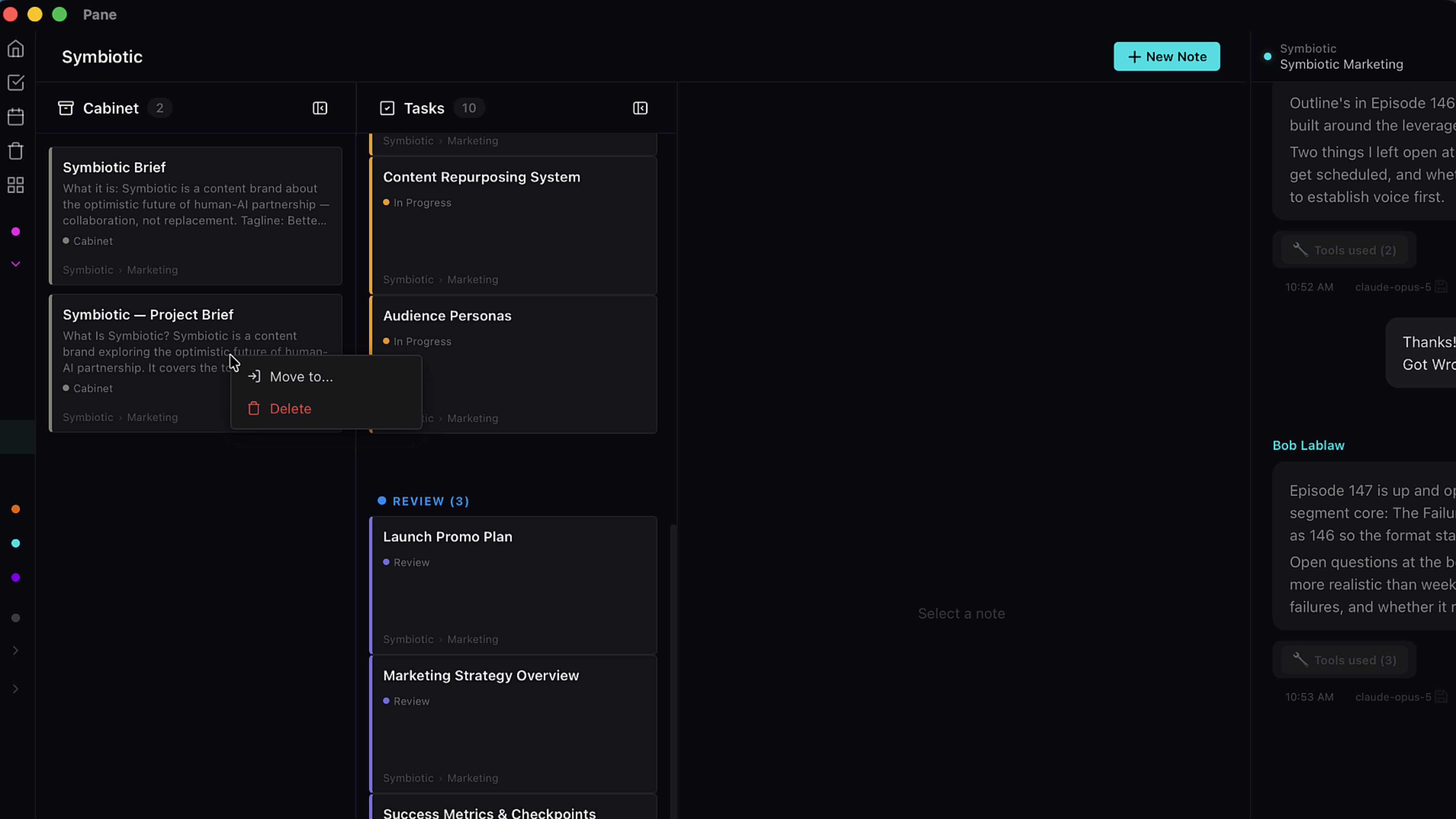
Notes move as easily as you'd want. Right click a card to send it to another project.
7. Move notes between folders
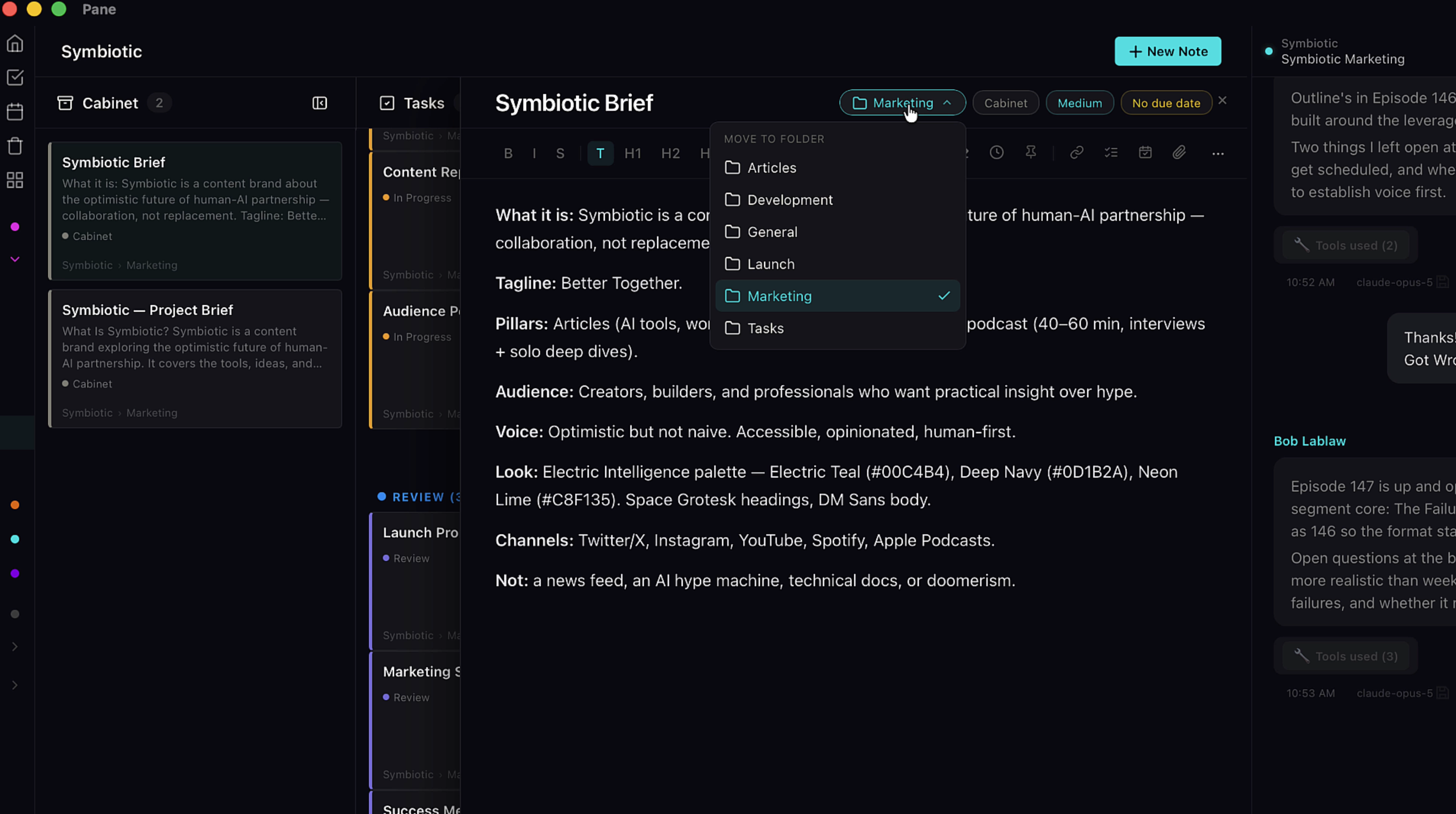
Or use the cabinet picker pill at the top of a note to move it between folders in the same project. Nothing is stuck where you first put it.
8. Create a folder
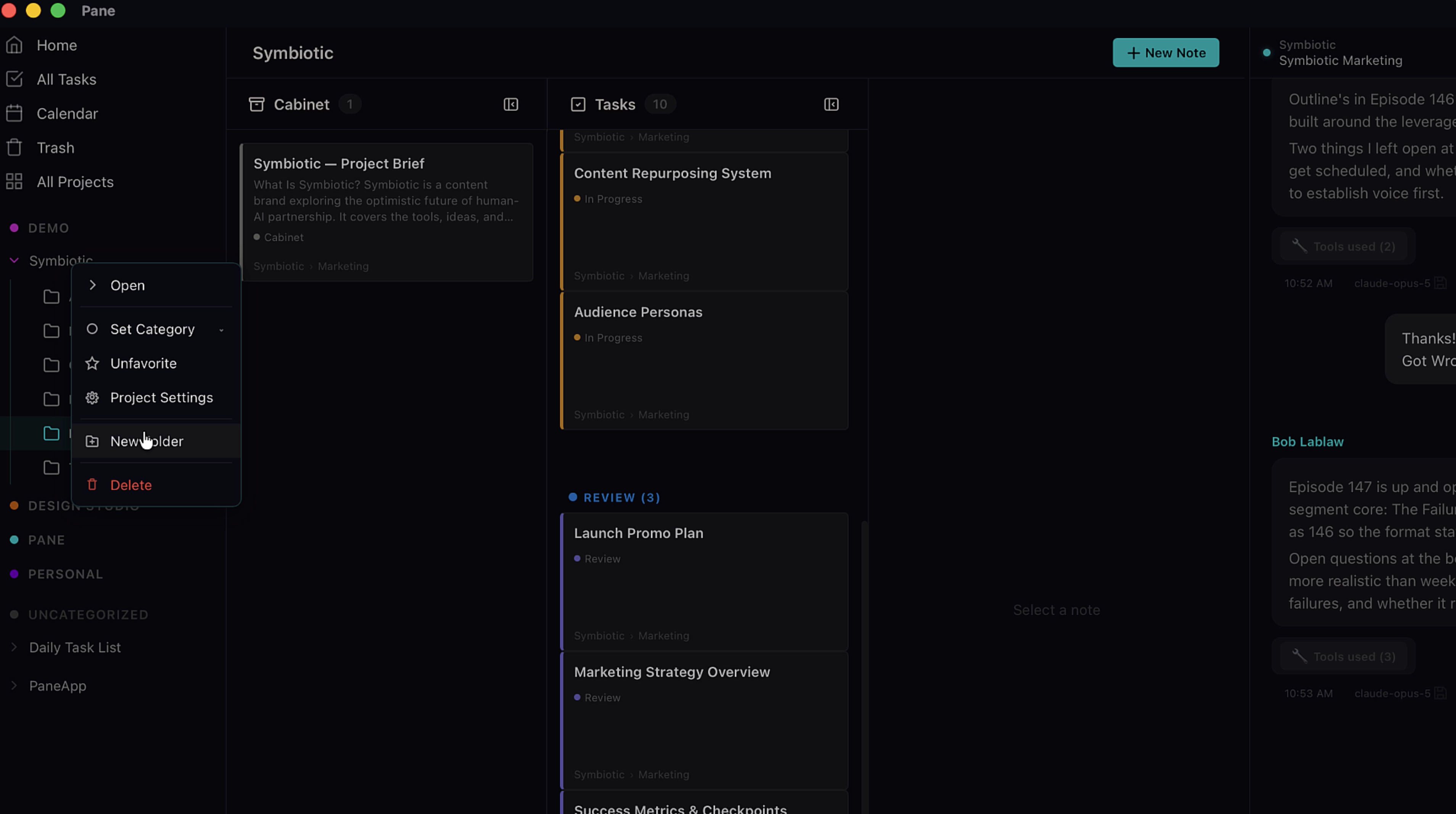
Making folders is quick: right click the project name to create one.
9. Rename a folder
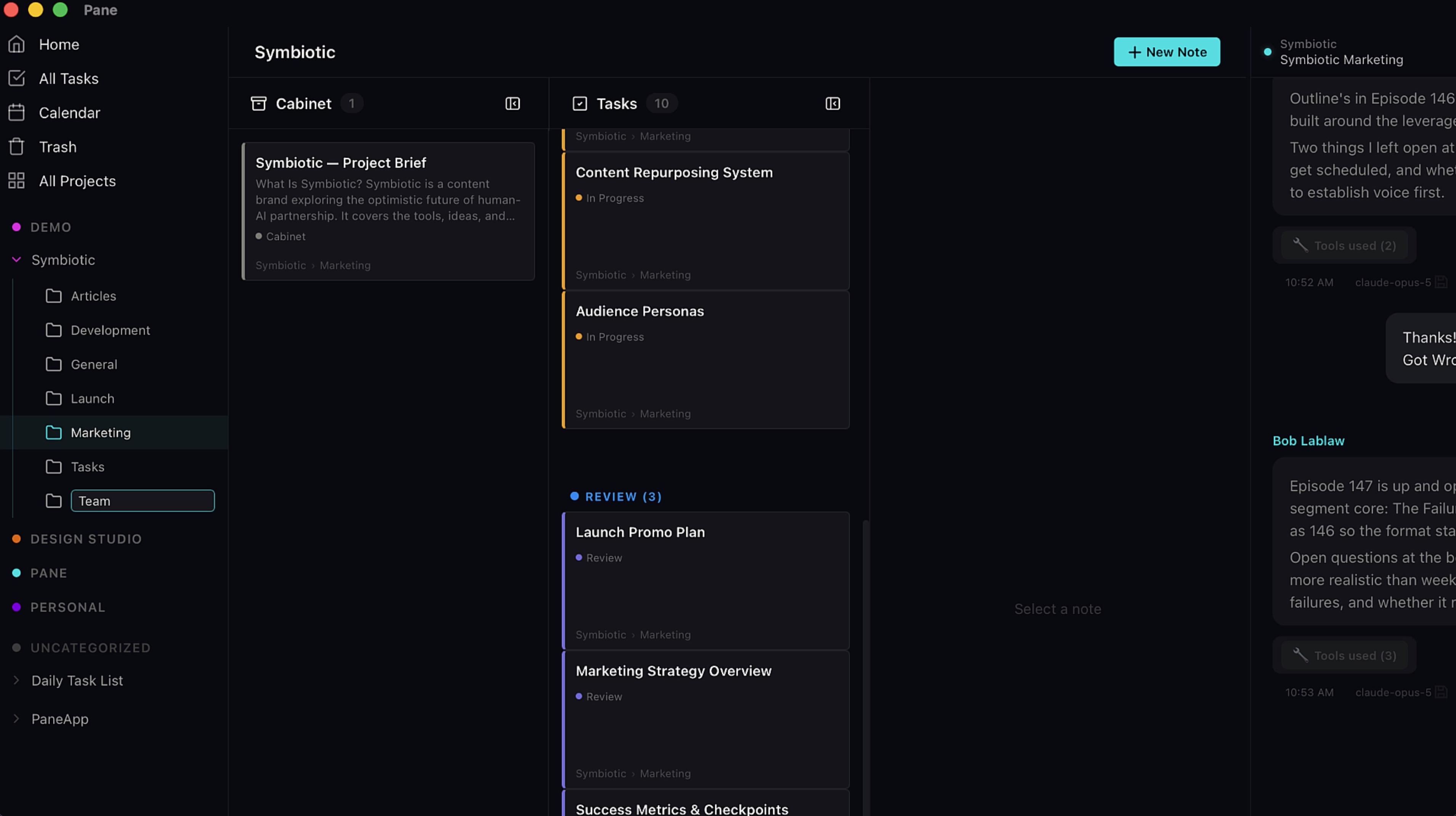
Right click a folder to rename it.