Pinned Notes
Every chat with your AI starts the same way: the AI knows what's in its context window, and nothing else. Pinned notes let you decide what's always in it. Watch the video or follow along below.
Get involved: Subscribe · Discord · Twitter/X · Matt on X
1. Pin a note
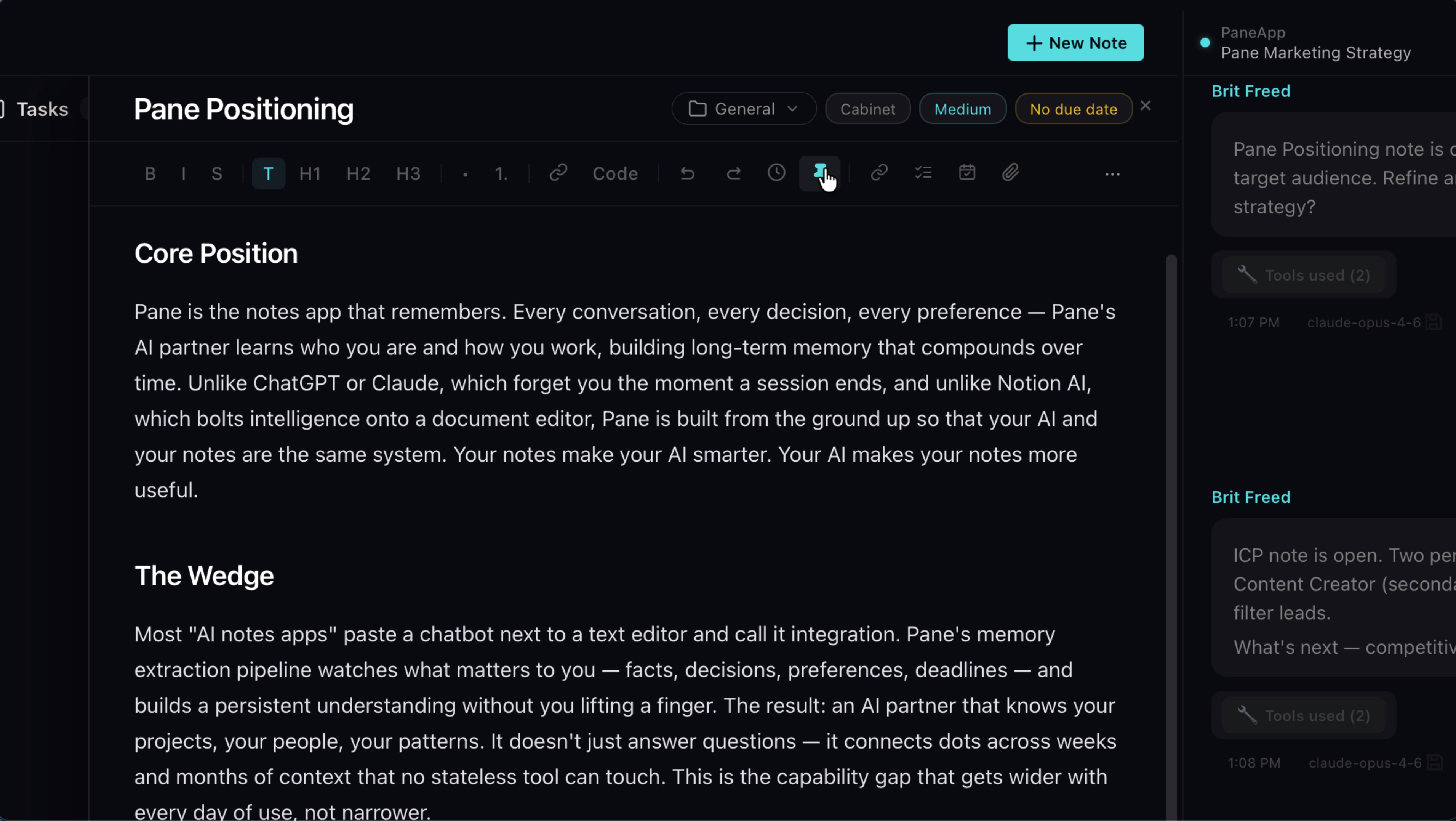
Take any note in your project. In the note menu, hit the pin. That's it. From now on, this note goes to your AI with every single message in the project. Same treatment as your project brief and your agent's memory. The AI never works without it.
2. See what's pinned
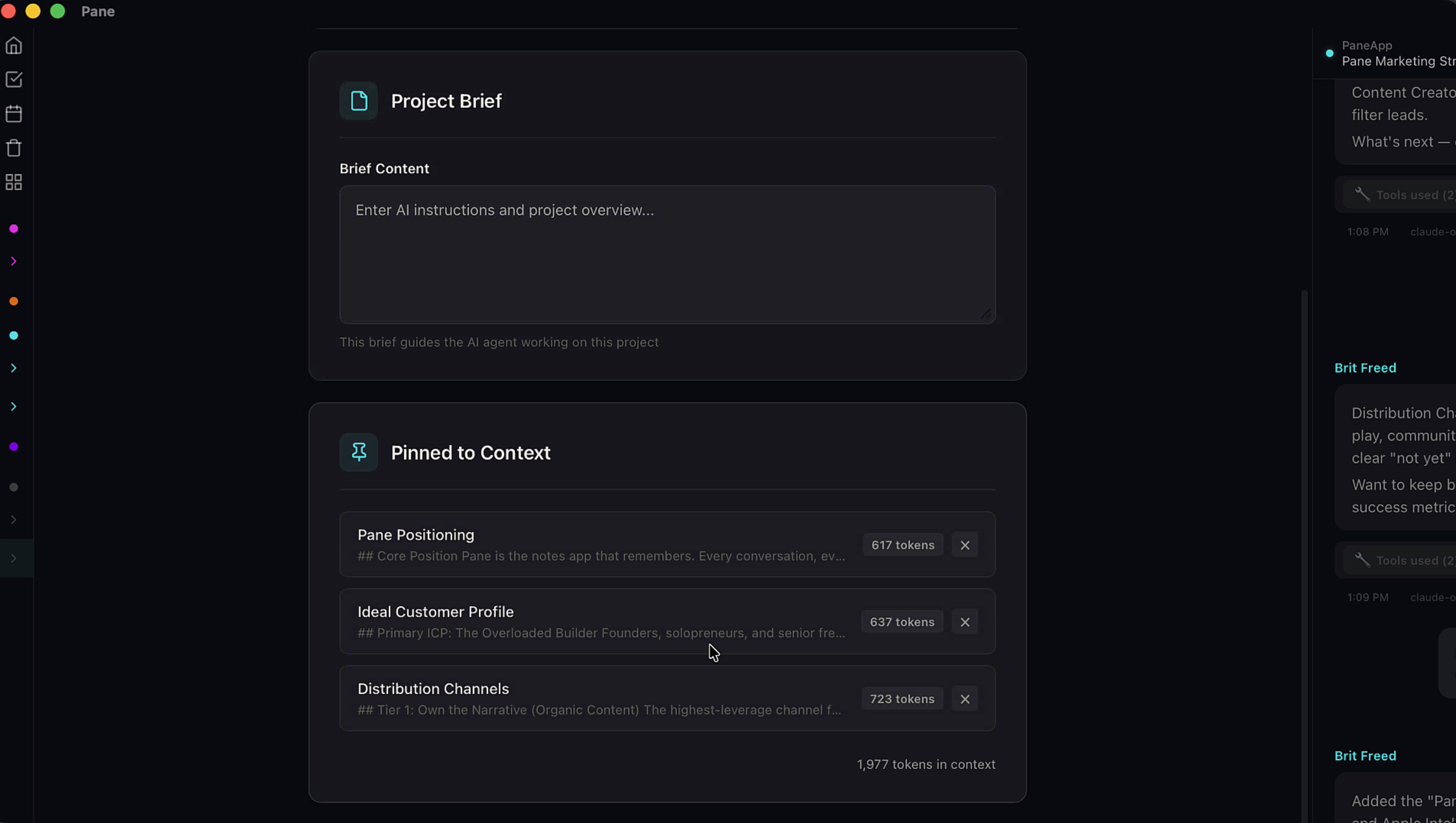
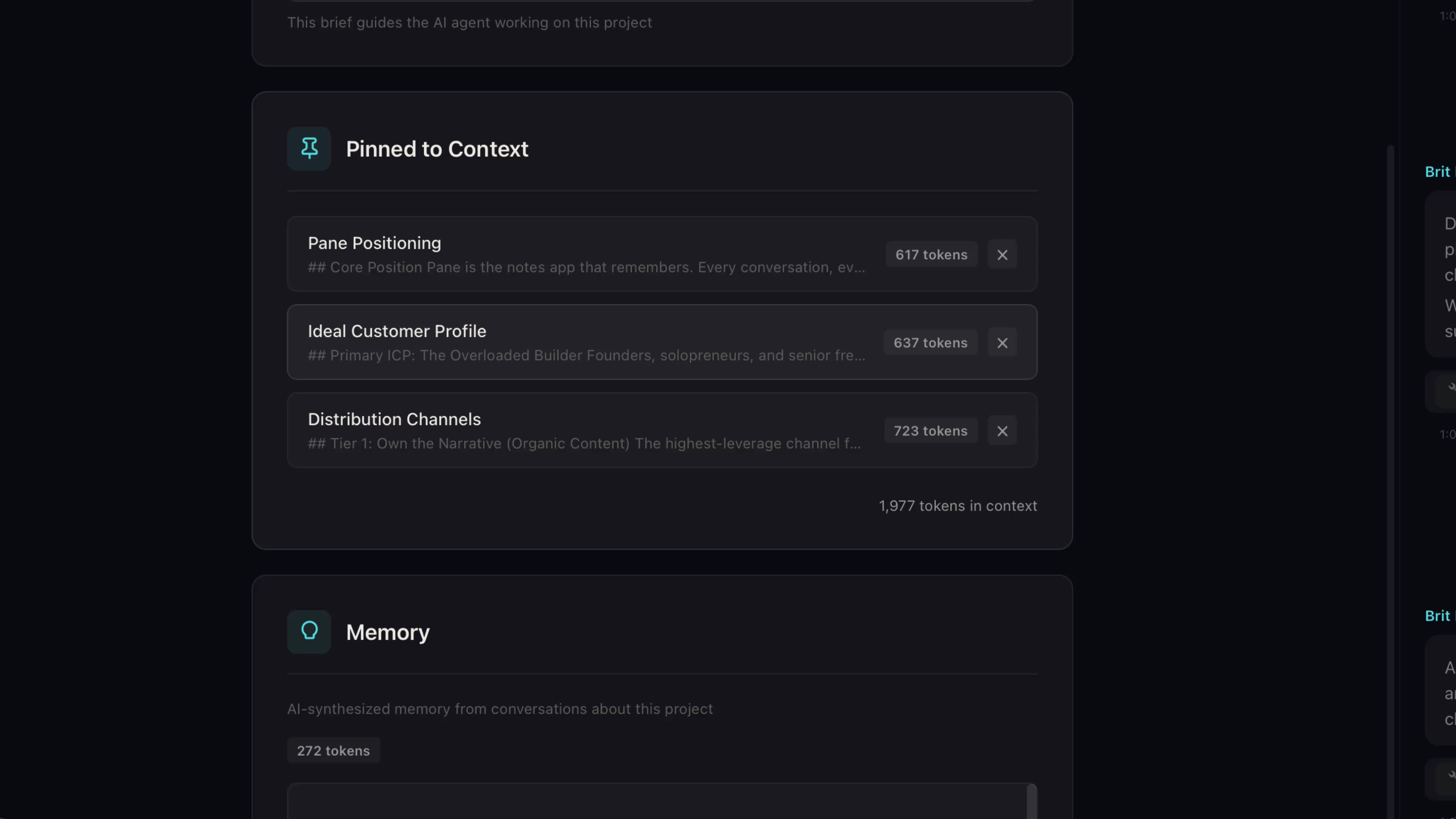
You can see everything that's pinned in project settings. Right-click the project name to get there. Each pinned note shows its token count so you know exactly how much context you're using. Click any pinned note and it takes you straight to it.
3. What to pin
Pin the documents your AI should never be missing. The project overview. The strategy. A directory of what lives where. For client work, the kickoff note with scope and deadlines. Keep a pinned overview in every serious project, and you'll never open a session by re-explaining what you're doing.
4. Living documents
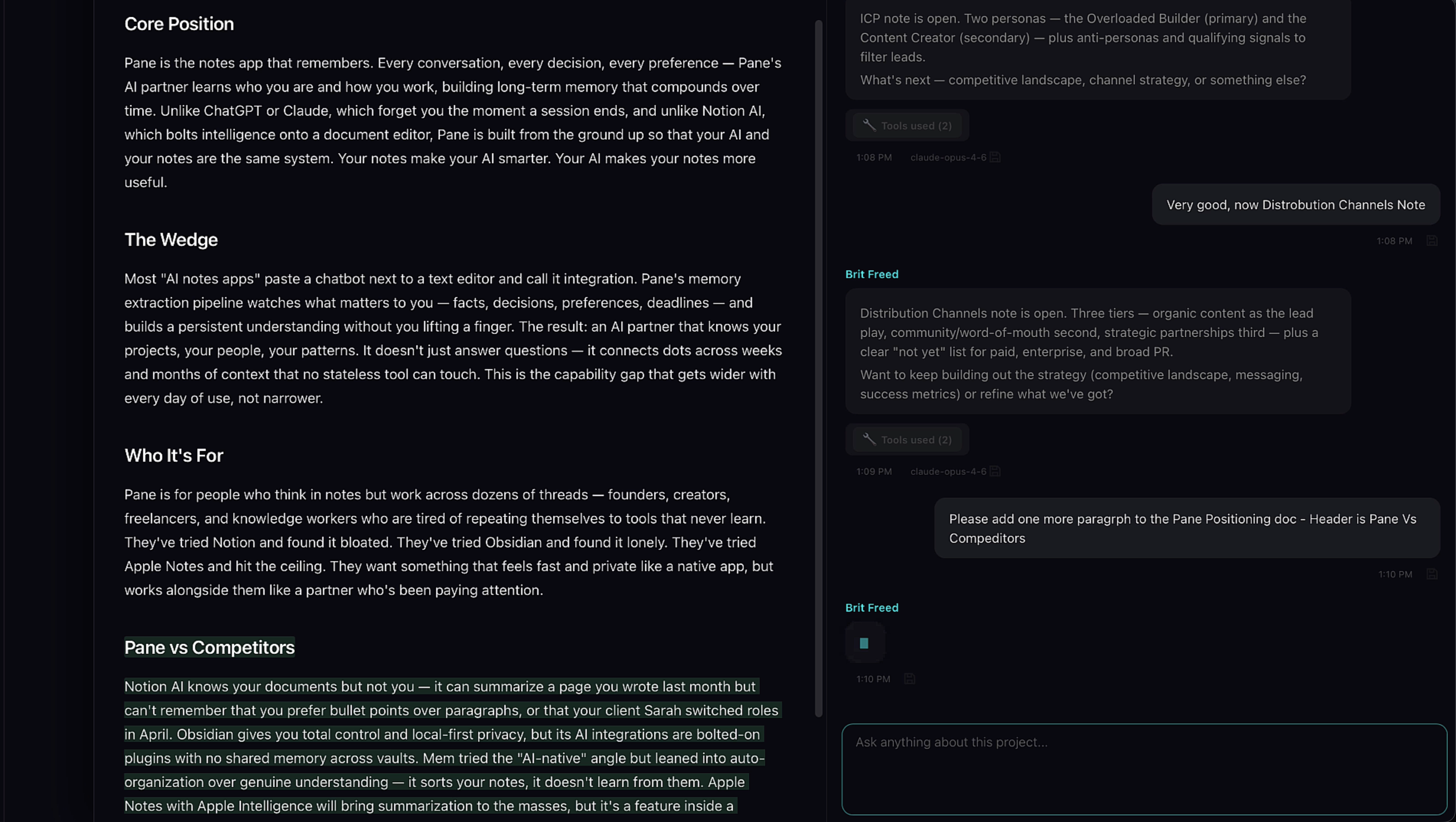
Here's the part that makes this better than anything like it. A pinned note is still a note. You can edit it. Your AI can edit it. When the strategy changes, you don't re-upload a document or rewrite a system prompt — you change the note, and every message after that carries the new version. Your AI's standing orders evolve with the project.
Pin the essentials. Update them as you go. Your AI always knows where it stands.