Smart Features and Semantic Search
A set of smart features quietly makes your AI cheaper to run and sharper to work with. Four features, two jobs: smart routing saves you money, and the other three make your AI's answers better. Watch the video or follow along below.
Get involved: Subscribe · Discord · Twitter/X · Matt on X
1. Setup — choose a provider
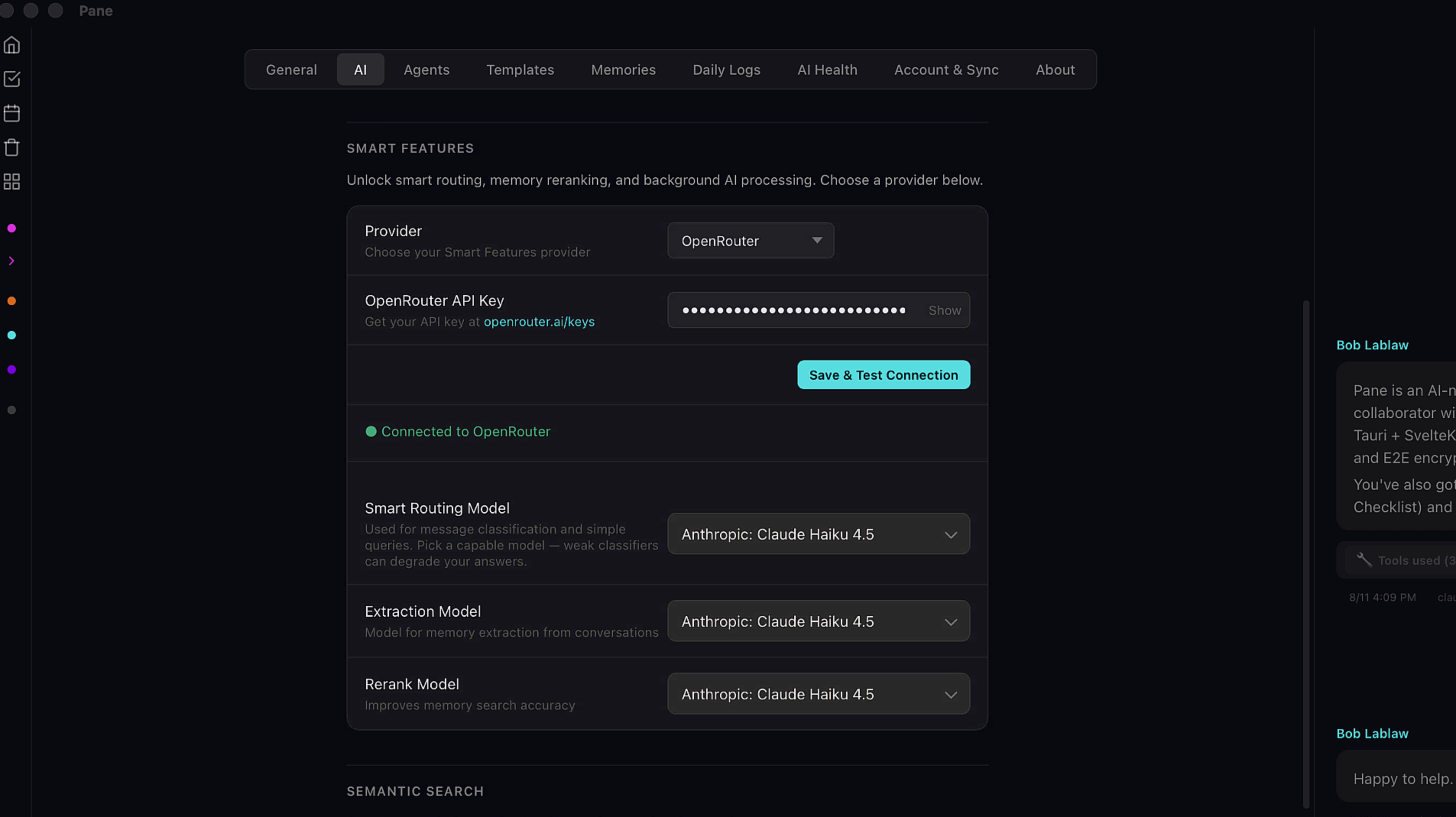
Smart features run as their own service inside Pane, so they get their own provider. Head to Settings → AI and scroll down to Smart Features. These jobs don't need frontier intelligence — something cost-effective like Haiku, or a strong local model through Ollama, handles them perfectly. Connect through OpenRouter, Anthropic, or Ollama, then pick a model for each feature.
2. Pick your models
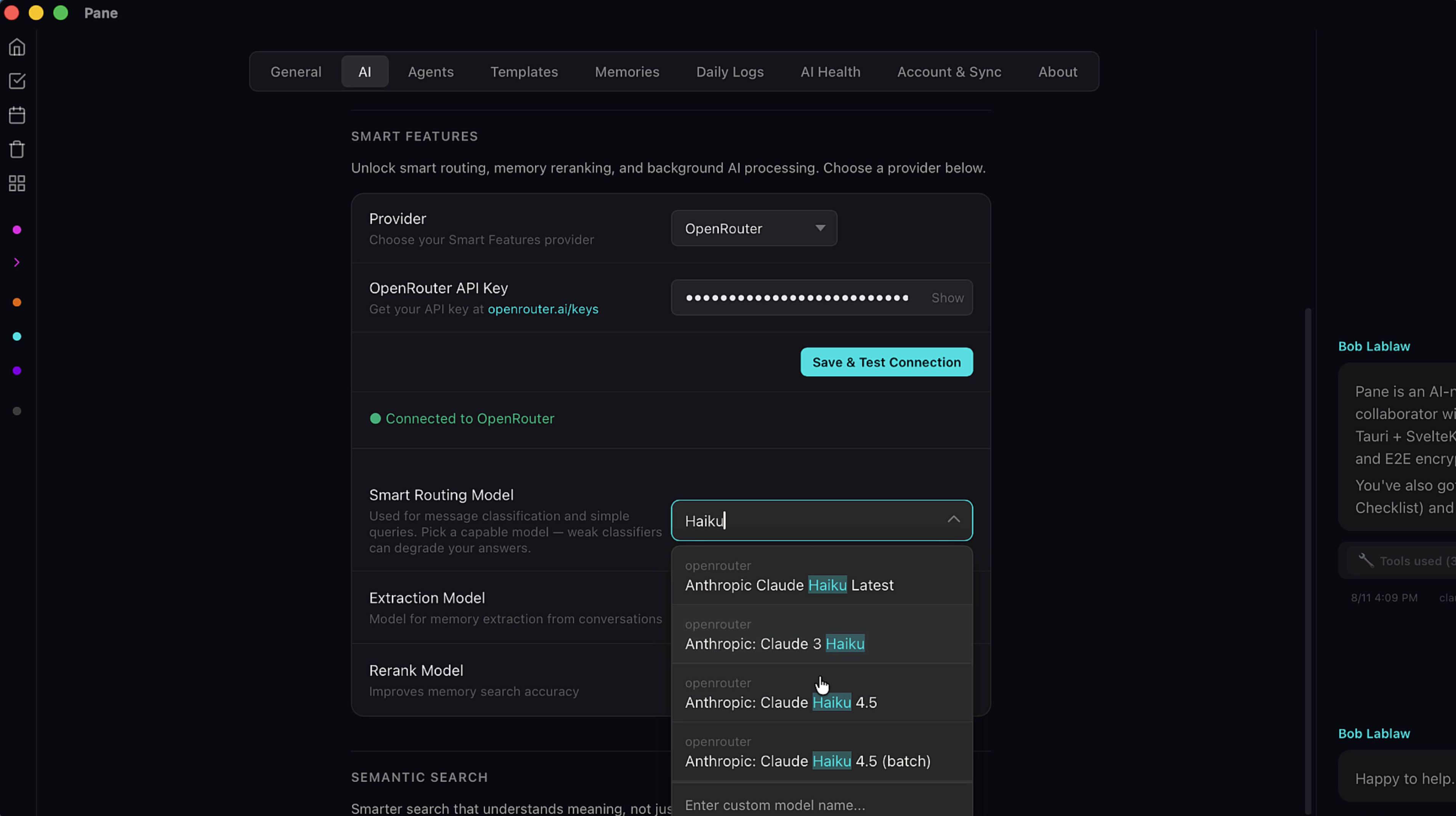
Type to search for a model. Each feature has its own dropdown so you can assign different models if you want, but a single capable model like Claude Haiku 4.5 works well across all three.
3. Smart Routing — the money saver
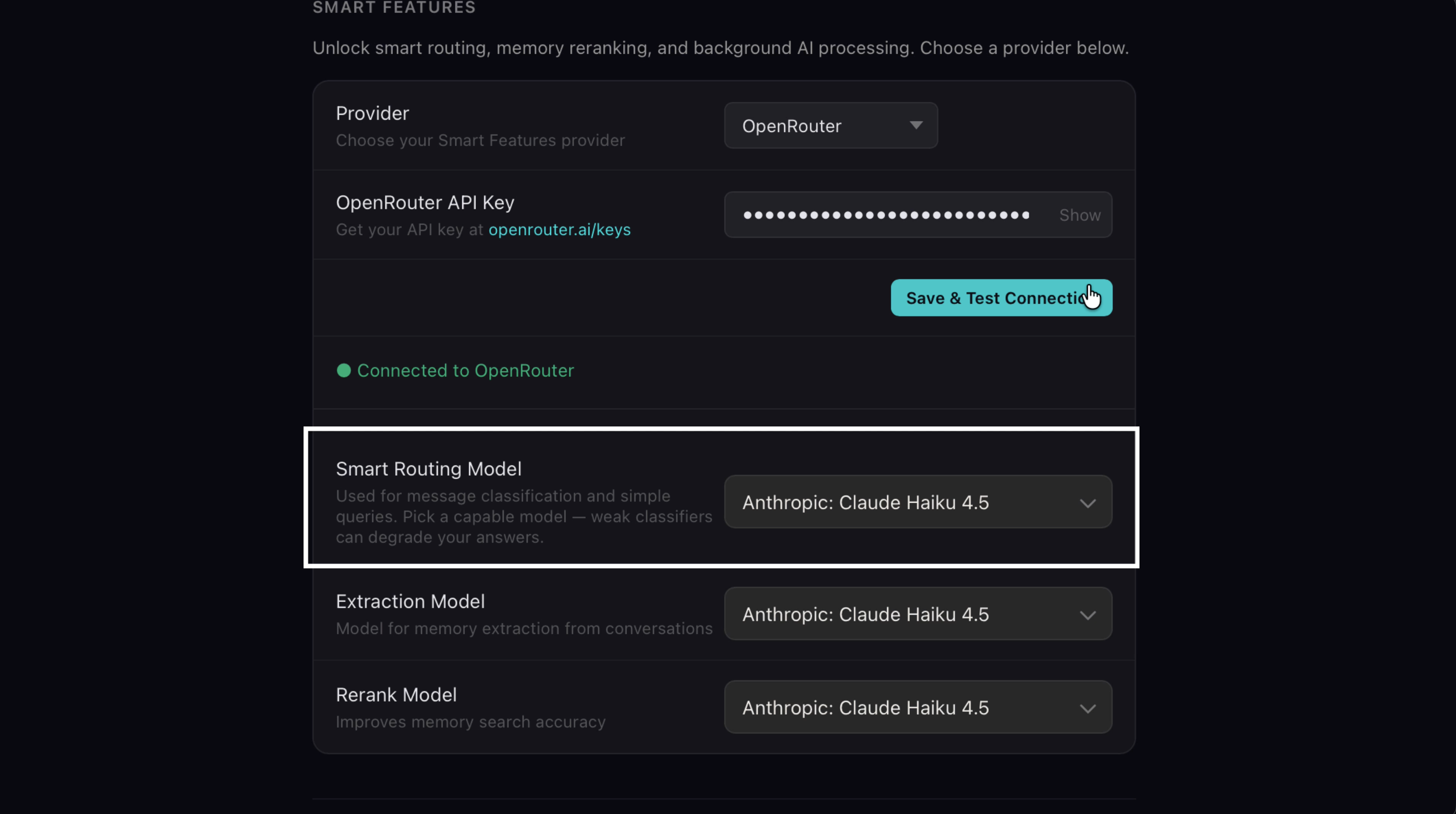
Not every question deserves your most expensive model. Smart routing classifies each message and sends simple queries to a cheaper model automatically.
4. Smart Routing in action
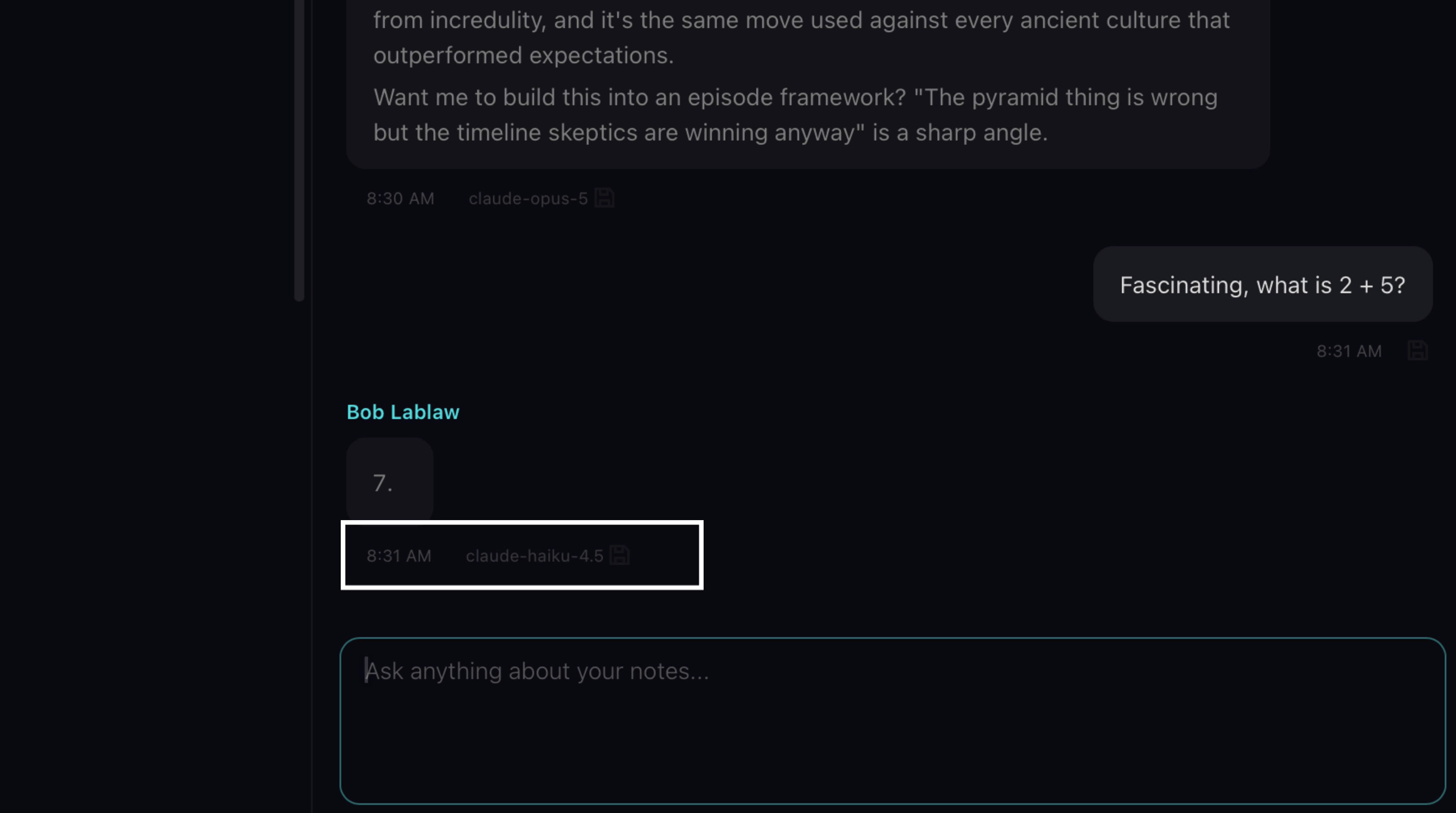
A simple math question doesn't need Opus intelligence, so smart routing sends it to Haiku instead — automatically. Big model for big thinking, small model for small tasks, and you never have to think about it. Over time, that's real money back in your pocket.
5. Extraction Model — the memory engine
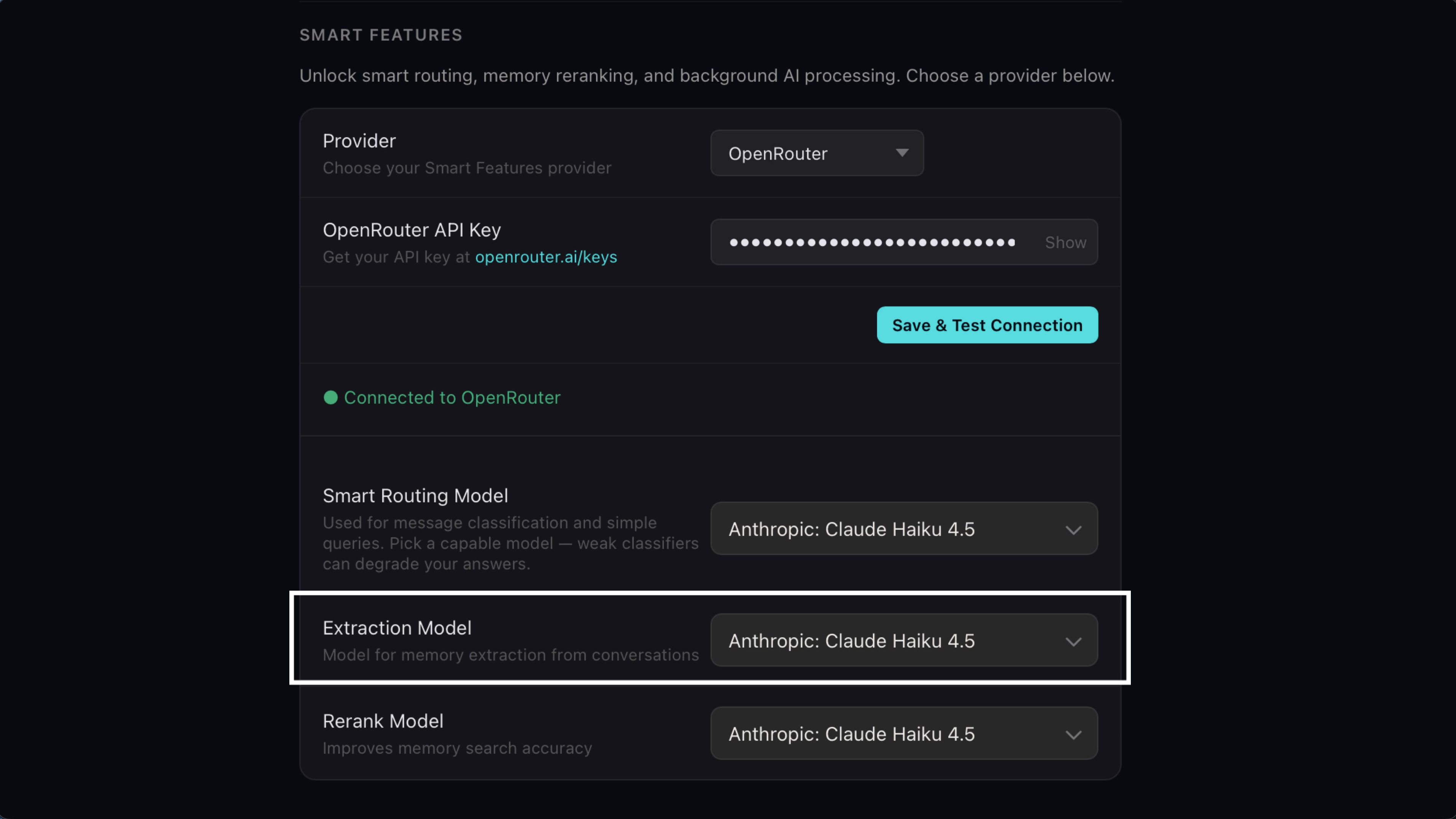
The extraction model is the engine behind Pane's memory system. It reads every message in your chats, decides what's worth remembering, and routes each memory where it belongs.
6. Where memories land
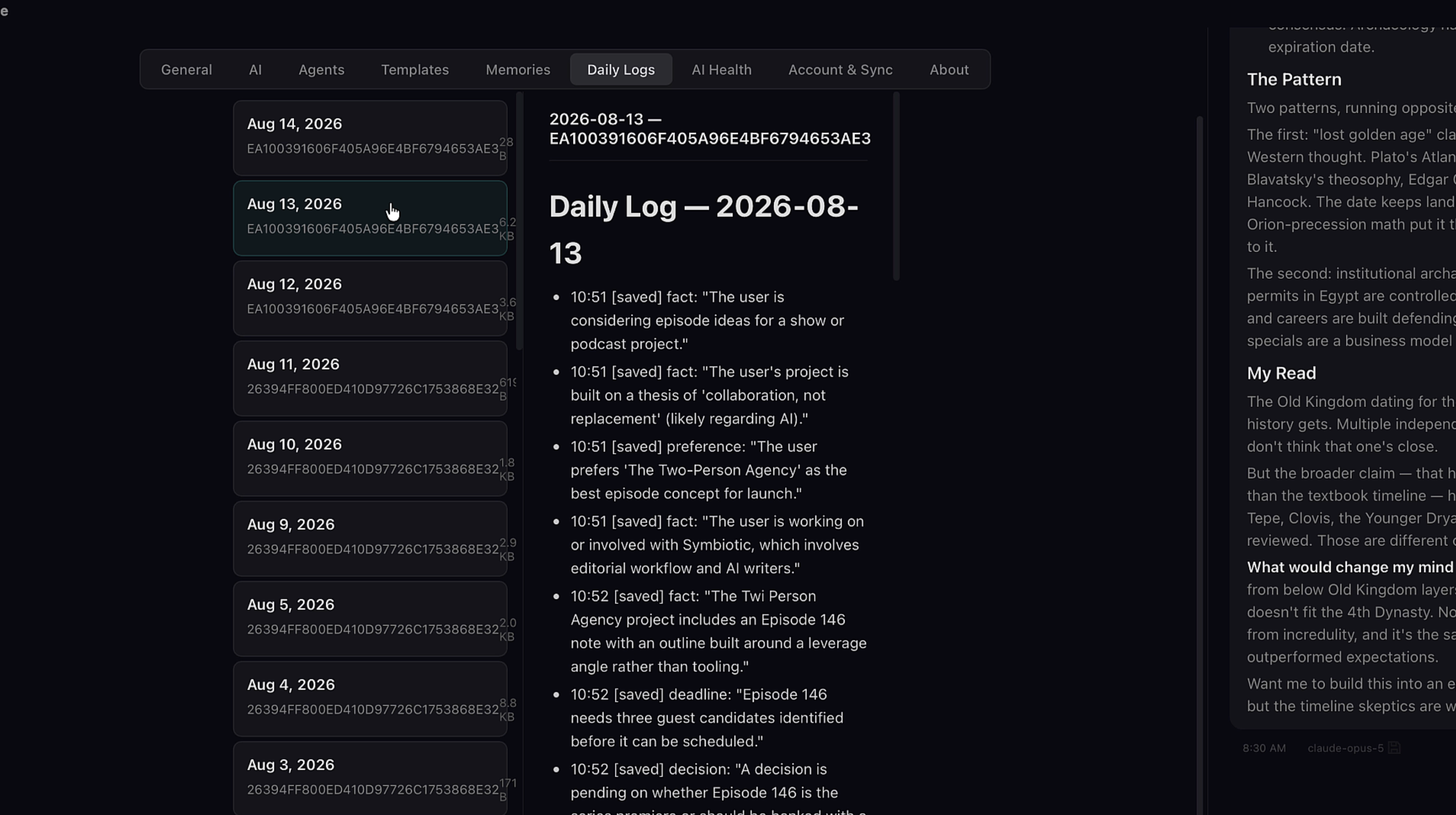
Daily Logs always, plus AI memory or project memory depending on what it's about. There's a full memory tutorial that goes deep on this one — here, just know this: this is the feature that makes your AI remember you next month.
7. Rerank Model — better search results
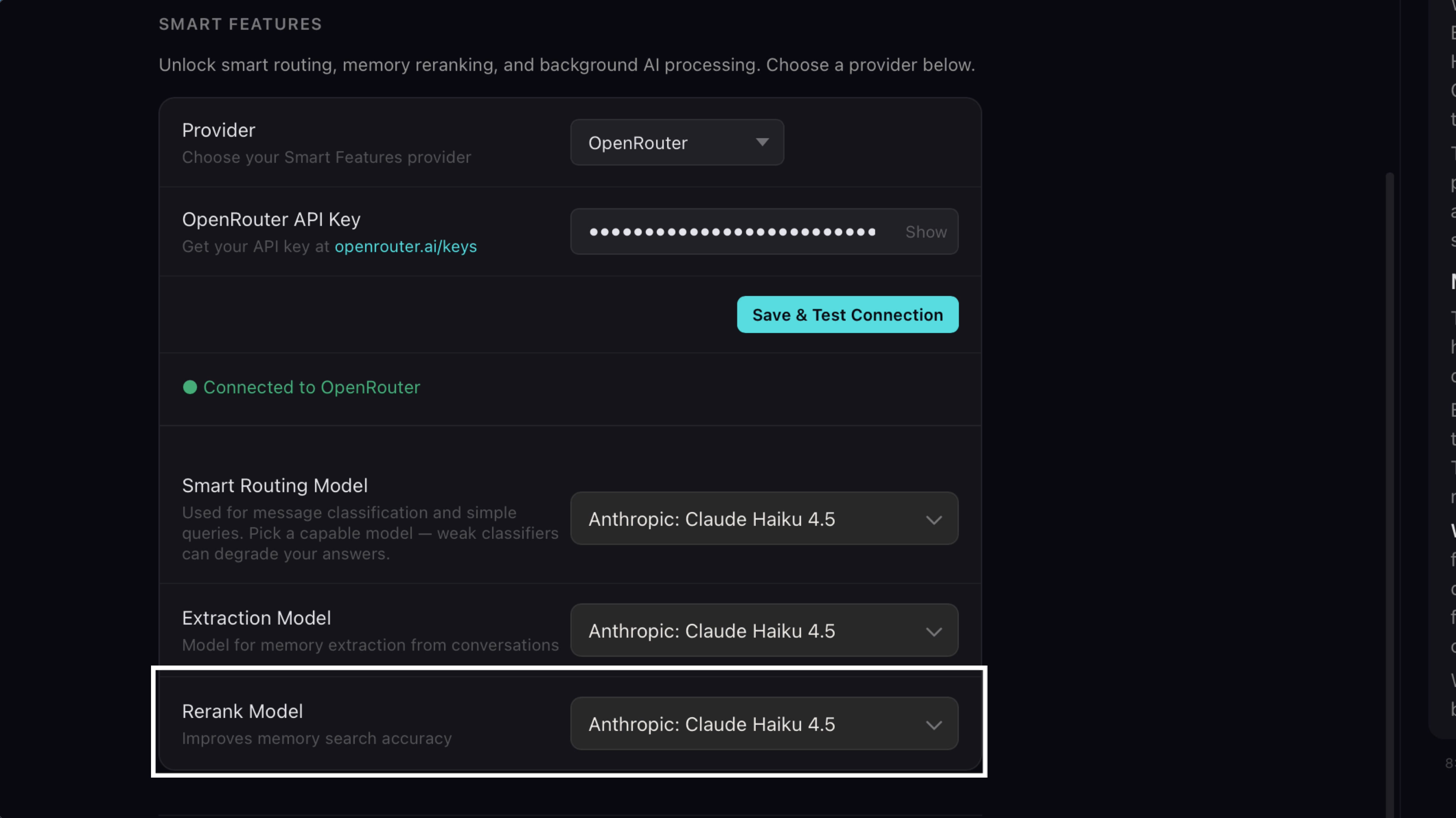
This one is underrated. When your AI searches its memory, it gets back a pile of results. The rerank model evaluates that pile and puts the best answers on top, which directly improves what your AI says back to you.
8. Tune your recall
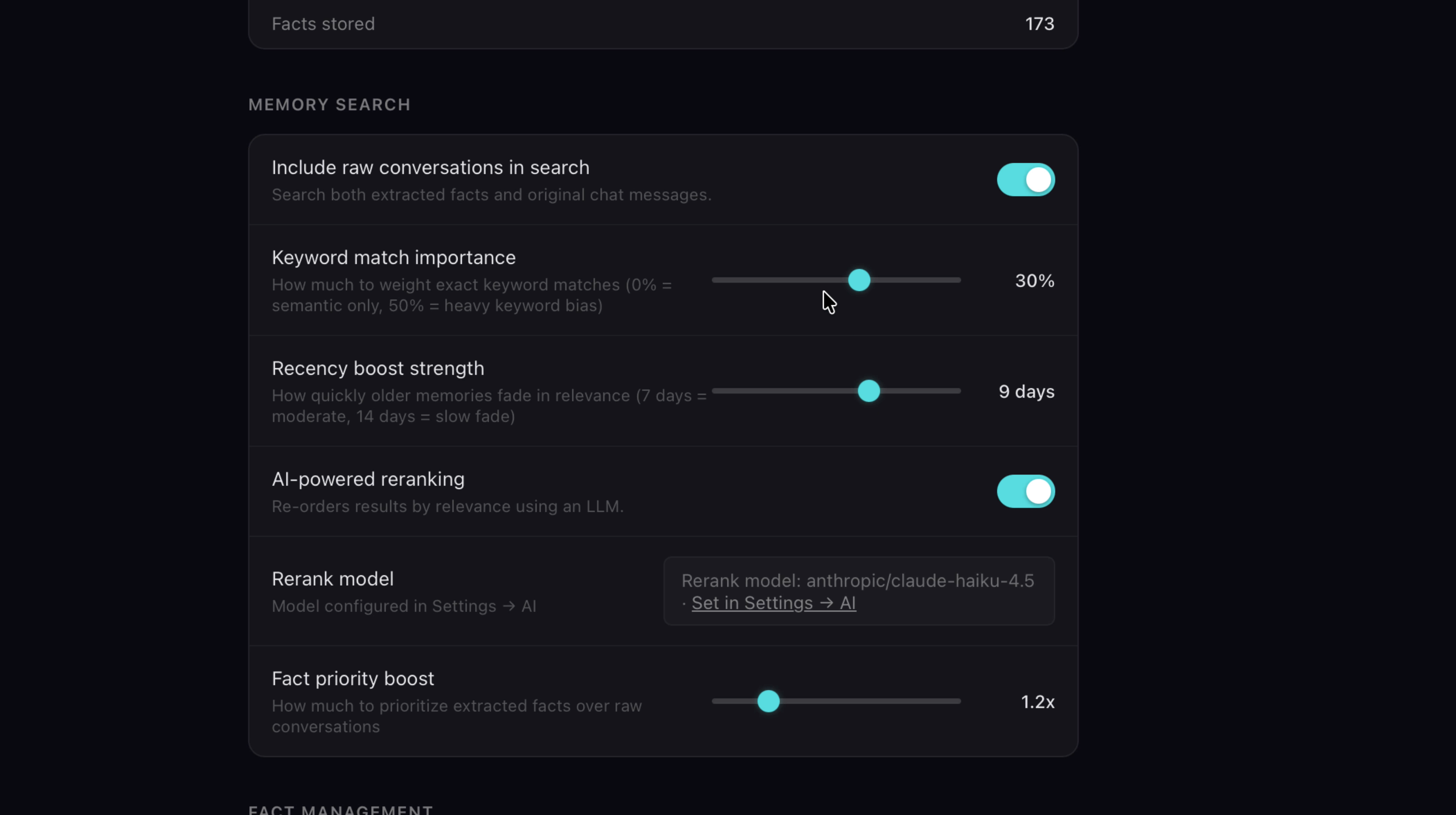
You control the ranking. Go to the Memories tab, scroll to Memory Search, toggle on AI-powered reranking, and include raw conversations. Then use the sliders to dial in what matters most: keyword match, recency, or fact priority. Want your AI to favor recent context? Slide recency up. It's your recall, tuned your way.
9. Semantic Search — search by meaning
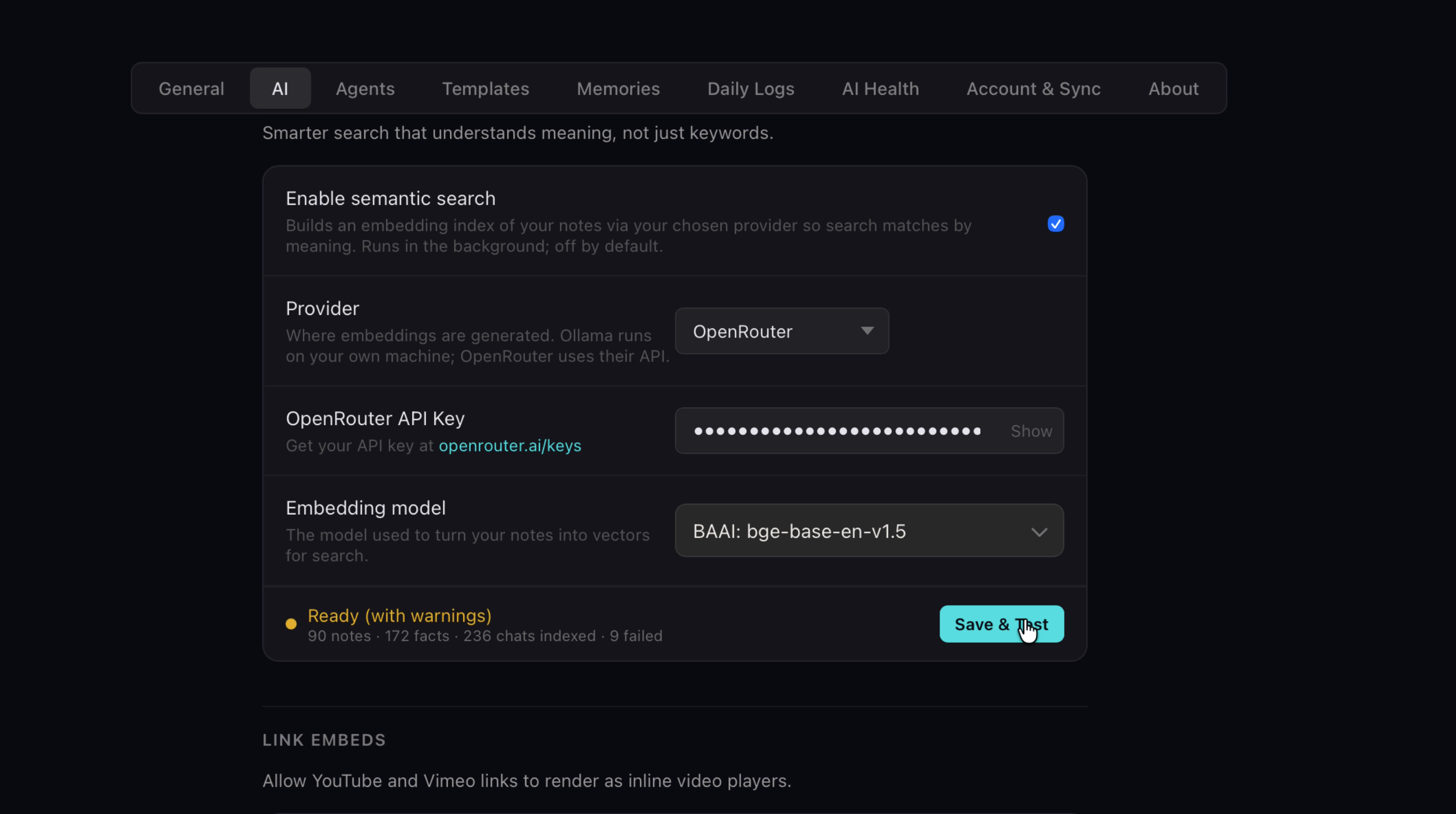
Semantic search upgrades how your AI finds things. Normal search matches keywords. Semantic search matches meaning. It builds an embedding index of everything in Pane — notes, facts, and chats — so your agent can surface content by concept, not just exact words. Enable it in Settings → AI, pick an embedding provider and model, and hit Save & Test.
10. Meaning over keywords
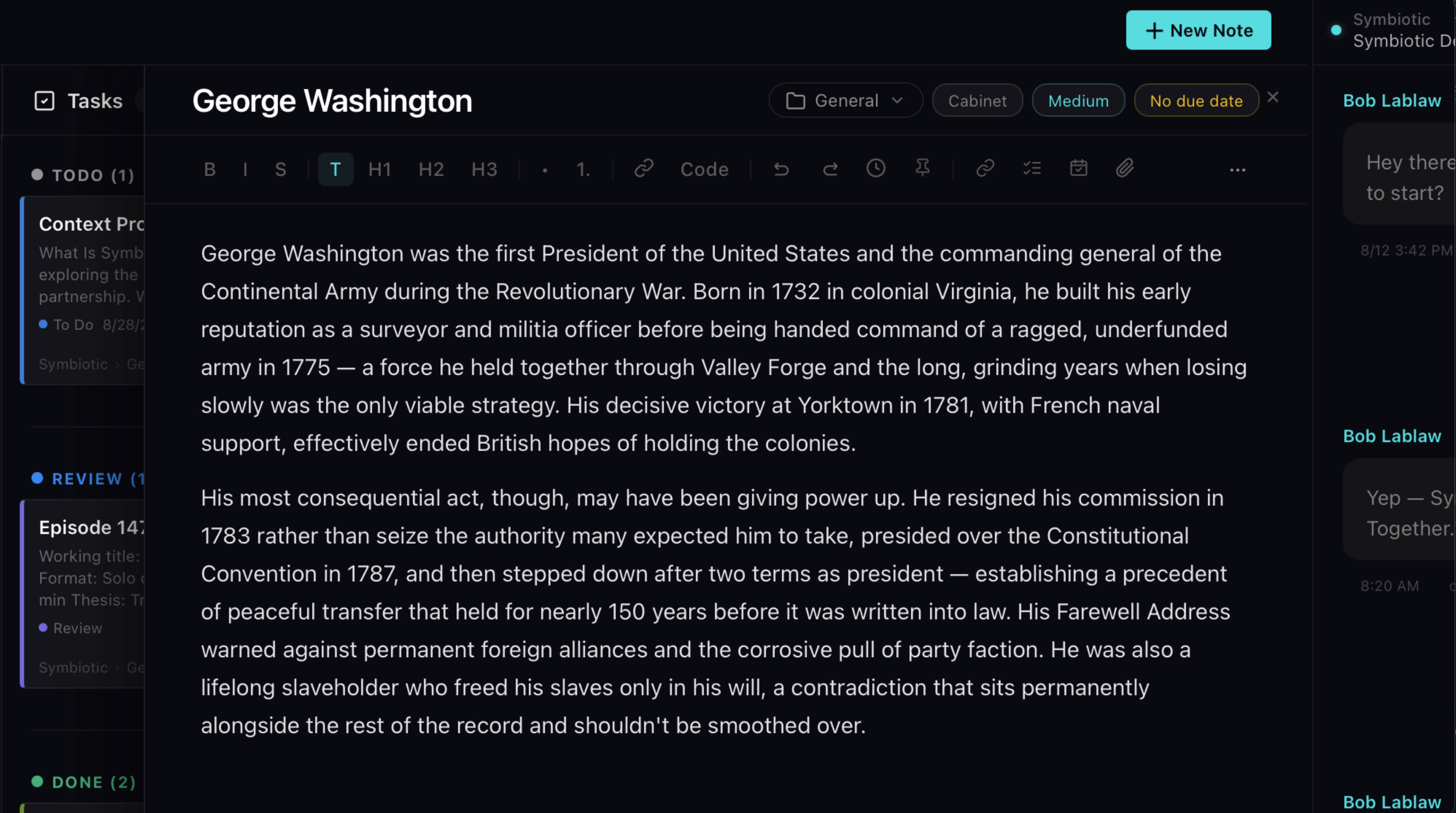
Here's what that looks like: you saved a note about George Washington. Later you ask your agent for anything on early American presidents. Keyword search comes up empty, because the note never says those words. Semantic search finds it instantly, because it understands what the note is about.